
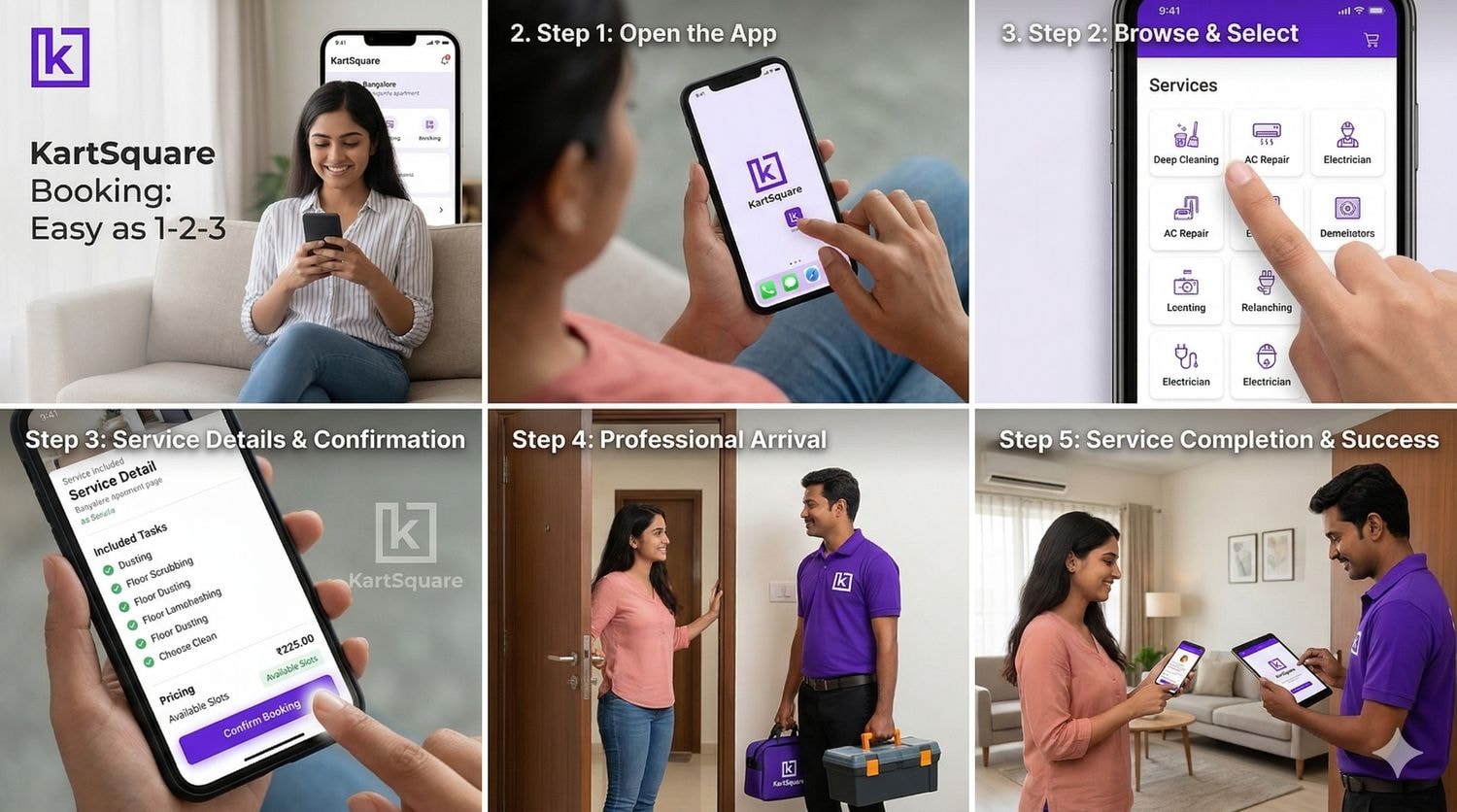
kartsquare Booking Made Easy: A Step-by-Step Tutorial
By kartsquare Team • 3/20/2026
Booking Home Services Without the Hassle
Booking home-based services should not require a degree in computer science[cite: 96]. While many people hesitate to try new platforms for fear of technical difficulty, kartsquare is designed to be simpler than ordering food online[cite: 97, 98]. Whether you are a digital native or just getting comfortable with online tools, this guide will walk you through every step of the process [cite: 99].
Getting Started: What You Need
Before making your initial booking, ensure you have the following essentials ready [cite: 102]:
- An email address or phone number [cite: 103].
- The service location address [cite: 104].
- A clear idea of the services you require [cite: 105].
- Your preferred date and time for the appointment [cite: 106].
Notably, no credit card is required to start, and there are no complex verification hurdles [cite: 107].
Accessing the Platform
You can access kartsquare through any standard web browser at kartsquare.com, and the site is fully compatible with phones, tablets, and computers[cite: 109]. As the platform is currently in an early access phase, new users are added to a waitlist first—a process that typically takes around 30 minutes[cite: 110]. Once access opens in your region, you can sign up by providing your contact details and creating a password [cite: 111].
Setting Up Your Location and Browsing Services
After logging in, your first task is to add your address[cite: 112]. This is crucial because the platform displays professionals based specifically on your location[cite: 113]. You can save multiple addresses for your home, office, or family members [cite: 114].
The homepage features clear service categories to help you find what you need quickly [cite: 116]:
- Home Repairs & Maintenance [cite: 117]
- Cleaning Services (including full-home, kitchen, sofa, and pest management) [cite: 118, 125]
- Beauty & Wellness [cite: 119]
- Education & Tutoring [cite: 120]
- Events & Celebrations [cite: 121]
- Personal Services & Physical Products [cite: 122, 123]
Selecting Professionals and Scheduling
Once you pick a service, you can view available time slots for today, tomorrow, or a future date[cite: 128, 129]. Most providers offer flexible morning, afternoon, and evening schedules, though weekend slots tend to fill up fast [cite: 130].
Before confirming, you can review the profile of your assigned professional, checking their overall rating, number of completed jobs, customer feedback, and verification badges [cite: 131, 132, 133, 134, 135].
Payment and Real-Time Tracking
kartsquare offers a "Pay After Completion" model for the majority of its services[cite: 142]. This allows you to book now, inspect the quality of the work upon completion, and pay only once you are satisfied[cite: 143]. Upfront payment options are also available for those who prefer them [cite: 144].
Throughout the process, you can monitor your service in real time via your dashboard with updates on [cite: 146, 152]:
- Booking confirmation [cite: 147]
- Professional assignment [cite: 148]
- Professional en route status [cite: 149]
- Service in progress and completion [cite: 150, 151]
Pro Tips for a Successful Experience
- Advance Planning: Reserve a few days early for better availability [cite: 157].
- Be Specific: Use service notes to describe difficult problems or specific access directions [cite: 158].
- Save Favorites: If you find an excellent professional, save them for faster future bookings [cite: 159].
- Check for Offers: Always visit the deals section before finalizing your booking[cite: 160].
By kartsquare Team • 15/1/2024

Plumber